Shining 3D Inspect |
 |
Shining 3D has developed its own solution for the three-dimensional inspection of scanned parts : the Inspect software.
Designed for the metrology market, this intuitive tool allows you to precisely compare dimensions between the design and the 3D scan of a manufactured part. All these dimensions can be recorded and summarized in a report with just a few clicks.
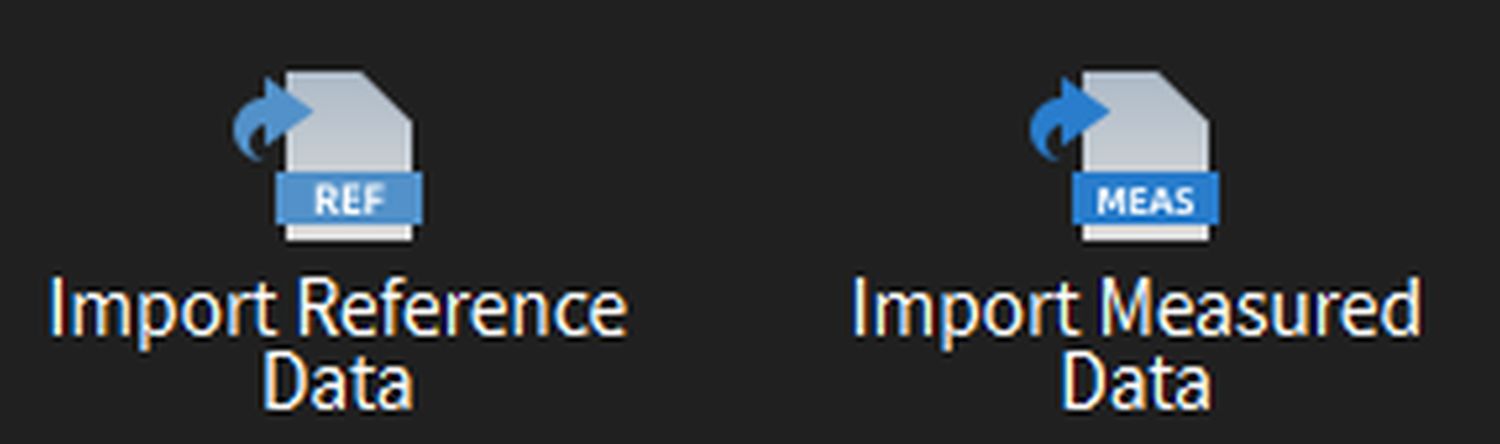 |
Importing Scans and CAD Files You can import your 3D design and scan in Shining 3D Inspect in standard 3D file formats: STEP, STL, OBJ, PY, etc. |
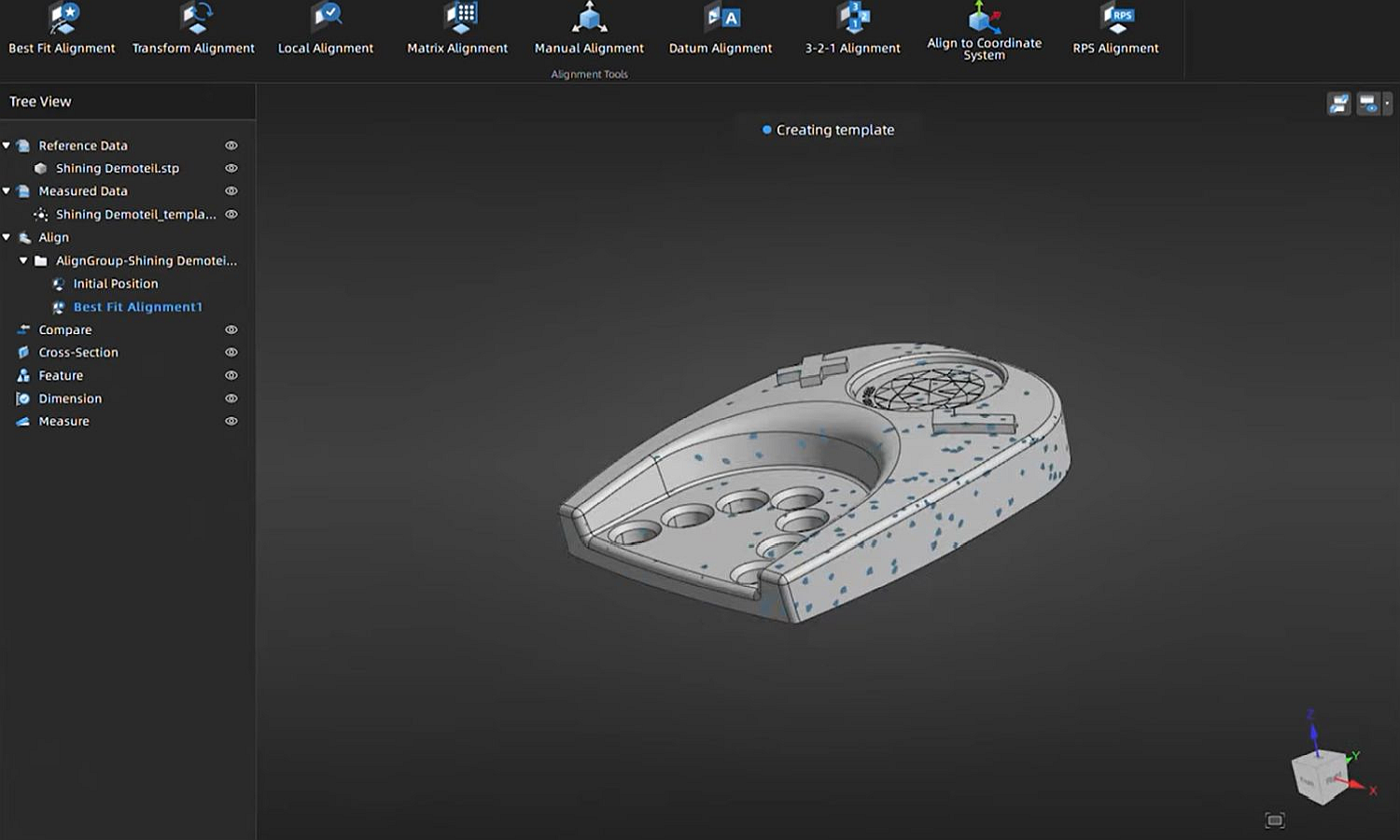 |
Design and Scan Alignment The first step is to align the 3D scan with the CAD model within the same coordinate system. Several 3D model alignment methods are available in SHINING 3D Inspect software:
|
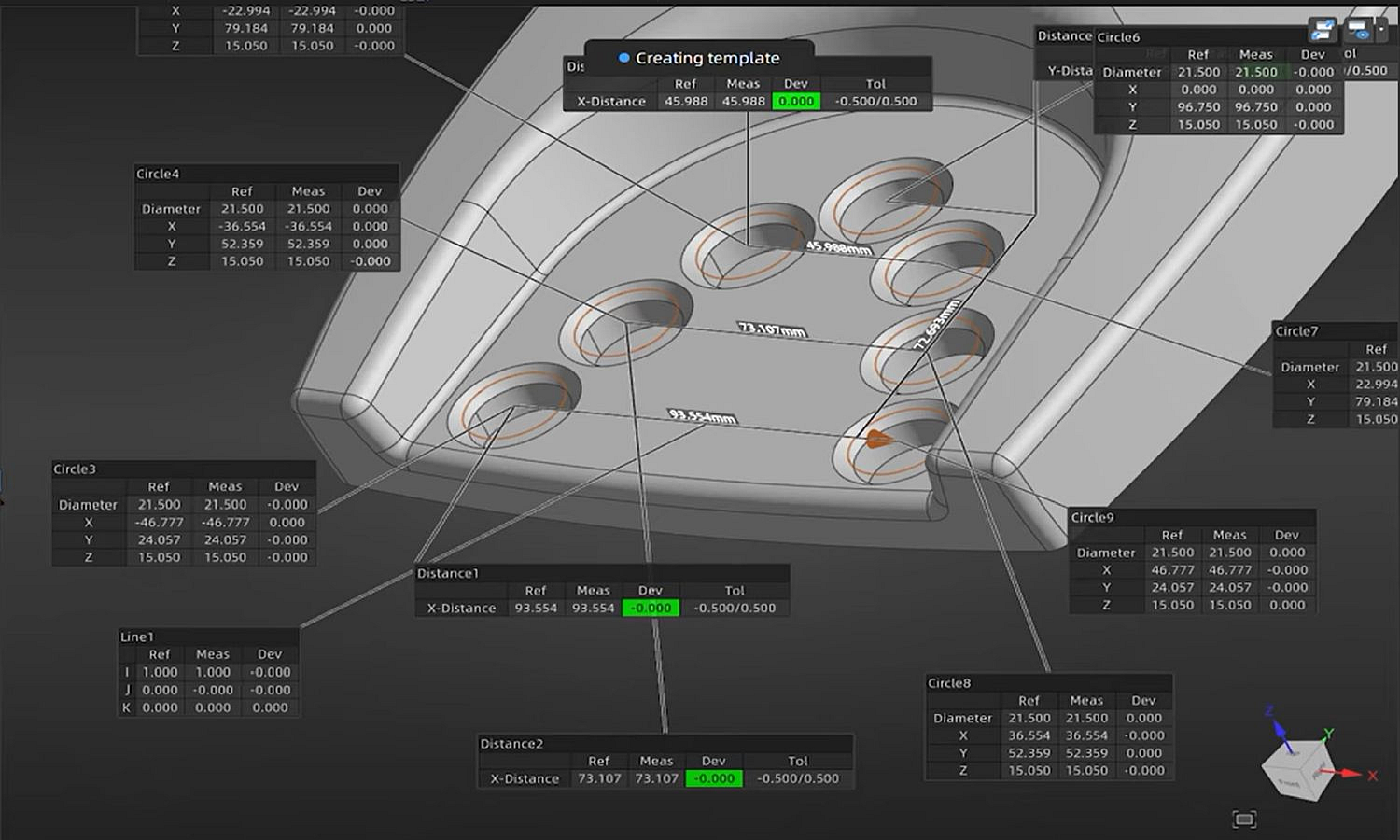 |
Measurements and Comparisons Once alignment is complete, you can compare the positions of all points in the CAD model and the 3D scan. You can also compare specific points or key geometries. Cross-sections can also be created for 2D comparisons. Measuring lengths or diameters is also possible on a scan, even without a reference CAD model. |
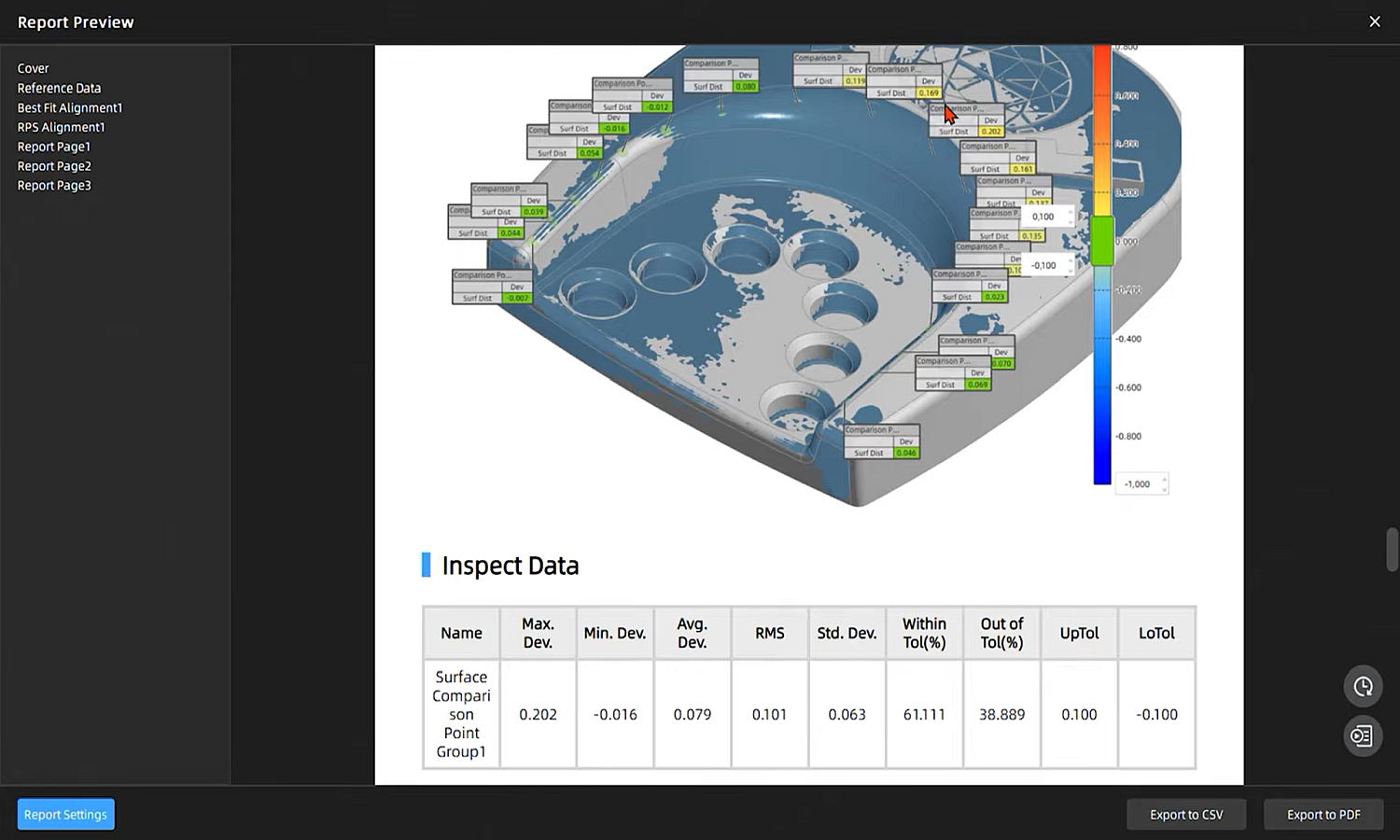 |
Report Creation Each comparison or measurement can be added to a report. This report can be created in just a few clicks, providing a clear and concise presentation of your measurement results. These reports can be customized with your logo and information. Using an add-on module, Shining 3D Inspect can be automated. This allow you to automatically compare and generate reports as soon as a scan is added to a selected folder. |
Shining 3D Inspect is the ideal complement to your 3D scanner for ensuring metrological quality control at the production, supplier, and design levels by enabling three-dimensional analysis of your parts.
Contact us for a virtual or in-person demonstration at our offices in Argenteuil (95).